Prompt Library for Small Businessby Small Business Control Center · free

For small business owners and freelancers

Stop running your business on guesswork.

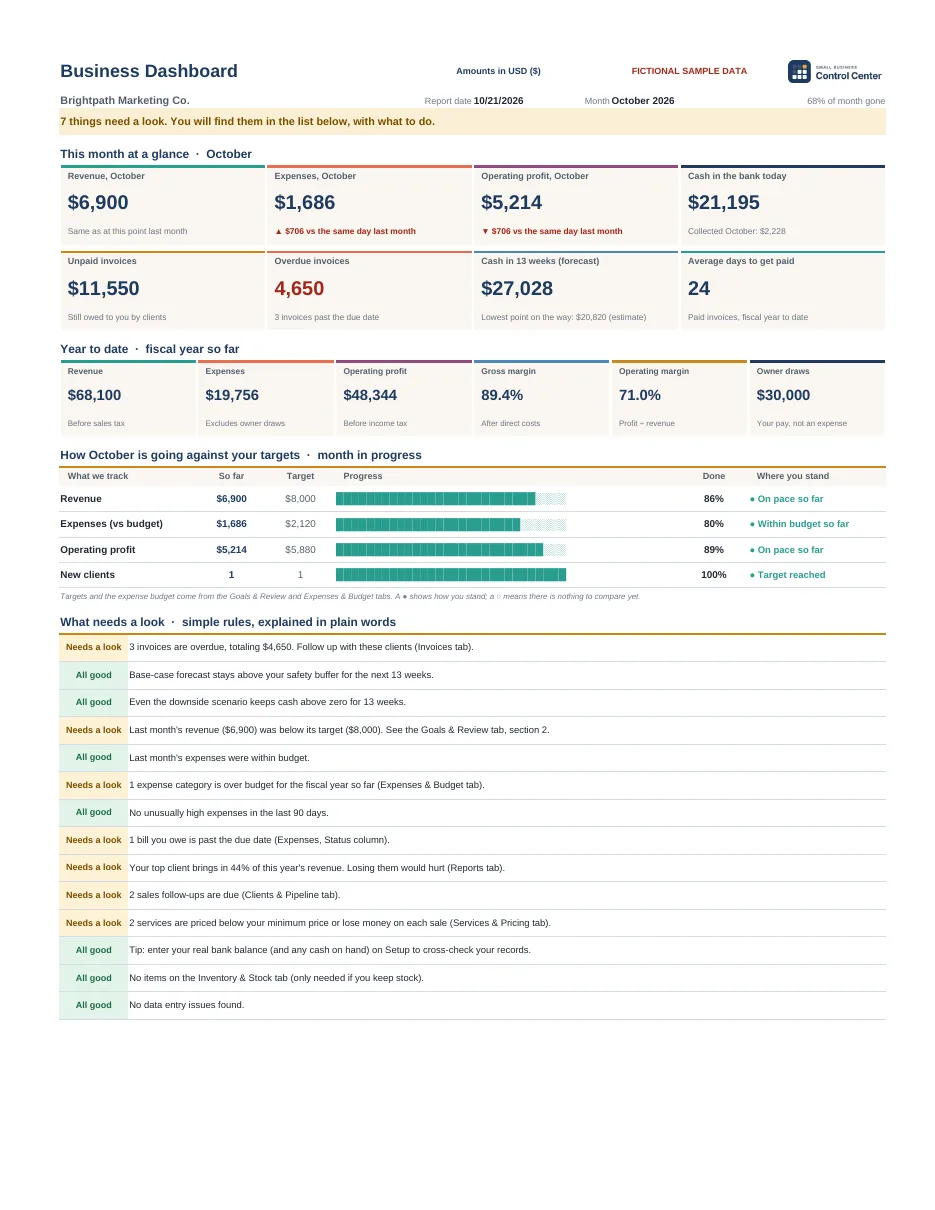
Your sales, invoices, expenses and cash in one dashboard in Excel or Google Sheets. Every week you know what you earn, who owes you and how much money you will have. No monthly fees. No complicated software.

I want Small Business Control Center →

From $19 · One-time payment · Instant download

▶ Case study · A tech consultant in Denver, CO

▶ Case study · A cleaning company in Austin, TX

Real client cases, anonymized: the figures on screen are sample data. About a minute each. Want to see everything inside? Watch the full Essentials tutorial on YouTube.

  • ✓ Excel and Google Sheets
  • ✓ Up and running in about 10 minutes
  • ✓ Ready for ChatGPT, Claude, Gemini and Copilot
  • ✓ One-time payment, no subscription

How your week changes

Without a system

  • You send invoices, but at the end of the month you don’t know where the money went
  • You find out too late that a client hasn’t paid
  • You set prices by gut feeling
  • Your numbers are scattered across the bank, notebooks and your head
  • AI gives you generic answers because it doesn’t know your business

With Small Business Control Center

  • You see today’s cash and the next 13 weeks
  • An alert tells you which invoice to chase
  • You know what earns you a margin and the price below which you lose money
  • Everything in one file, up to date in minutes
  • You give AI your real numbers and it tells you what to do

Success stories

Swipe, tap a card or use the arrows

Cleaning · Austin, Texas (USA)

A cleaning company

Before: It was hard to work out how much he really made from each client and each service, once staff, supplies and travel were counted.

Now: He can record income and expenses, compare the cost of his services and understand his profit margins better.

“I always had work, but I didn’t always know which services were actually profitable. With the system I can record expenses, track income and analyze the margins on each client. Now I make decisions with numbers, not gut feelings.”Michael R., owner of a cleaning company★★★★★

Online cosmetics · Miami, Florida (USA)

An online cosmetics store

Before: She wasn’t calculating profitability properly once shipping, packaging, fees and product cost were added up.

Now: She can add in the different costs, review her selling prices and know the real margin on her products.

“My sales were growing, but I didn’t have a clear picture of what I was really making after all the expenses. The system has helped me control costs, review my prices and better understand the profitability of each product. It’s been a big change for my store.”Jessica T., owner of an online cosmetics store★★★★★

Tech consulting · Denver, Colorado (USA)

A technology consultant

Before: He had no overall view of his clients, projects, unpaid invoices and cash forecasts.

Now: He has a single view of clients, income, expenses and financial follow-up to run his business better.

“Working by project means there are a lot of moving parts to keep track of. I used to use different files and waste time looking for information. Now I can keep clients, income, expenses and financial follow-up in one place. It’s a practical solution that lets me focus more on my clients and less on admin.”Ryan B., independent technology consultant★★★★★

Food service · Madrid (Spain)

A specialty coffee shop

Knows every week what to restock and how much cash she’ll have

Before: Counter sales, wholesale orders, coffee stock, suppliers and cash lived in separate spreadsheets that didn’t talk to each other.

Now: Everything in one dashboard: the month’s real profit (not just the bank balance), what to restock before running out and cash for the next 13 weeks.

“Since I started using the system I have much more control over my coffee shop. Now I can spend less time making the numbers add up and more on what really matters: the coffee and my customers. It has made my day-to-day so much easier!”Manuela O., coffee shop owner★★★★★

Digital marketing · Barcelona (Spain)

A digital marketing freelancer

No client or opportunity goes without follow-up

Before: He wanted more clients, but he wasn’t keeping track of his cash or his clients. With no time to prepare anything properly, his client relationships delivered less value than they could.

Now: His cash, clients and sales opportunities in one dashboard, with the next follow-up for each. With the library’s prompts he prepares proposals and messages tailored to each client in minutes.

“I used to have clients, projects, invoices and expenses scattered everywhere. Now I have everything organized in one system. I’ve gained time, clarity and, above all, control over how profitable my business is.”Jorge G., digital marketing freelancer★★★★★

Consulting · Valencia (Spain)

A process consultant

Sets his prices with the margin in view

Before: His margins were slipping: he charged less than he could and didn’t dare raise prices. He lost a lot of time gathering paperwork for his tax advisor and had no sales strategy.

Now: He prices each project knowing its margin and the price below which he loses money. His invoices and expenses are in one workbook, organized for his tax advisor, and he used the sales prompts to prepare his sales plan.

“As a consultant, I need a clear view of every part of my business. This system lets me centralize my admin, control costs and track profitability without wasting time on disconnected tools. Just what I needed.”Aitor M., process consultant★★★★★

Fashion · Valencia (Spain)

A clothing store

Before: She had no clear control over inventory, purchase costs or the real margin on each product.

Now: She has sales, stock and costs connected in one system. She can see which products are most profitable and keep better control of her stock.

“I kept sales and inventory separately, and often I didn’t know which products made me the most profit. Now all my information is connected and I can keep better control of stock, costs and the profitability of my store. It has made running it so much simpler.”Laura M., clothing store owner★★★★★

Graphic design · Málaga (Spain)

A graphic design freelancer

Before: She mixed personal and business income, forgot to record small expenses and had no clear cash forecast.

Now: Her income, expenses and transactions are in one place, and she can check the financial position of her business quickly.

“As a freelancer, I ended up spending too much time organizing invoices, expenses and projects. Now everything is in one place and I can easily see how much comes in, how much goes out and what margin I have left. I finally feel my business is under control.”Claudia S., graphic design freelancer★★★★★

Events · Seville (Spain)

A small events agency

Before: Each event’s budget was scattered and it was hard to compare what was budgeted with the real costs.

Now: He can organize the income and expenses of his projects, track costs and assess the profitability of each event.

“Running several events at once meant keeping track of too many budgets, suppliers and expenses. Now I can organize each job better, track costs and check the profitability of each project. It gives me a much more professional view of the business.”Daniel G., owner of a small events agency★★★★★

It works in 3 steps

1Download and open itIn Excel or Google Sheets. Enter your starting balance on Setup. About 10 minutes.
2Fill in the yellow cellsSales, invoices and expenses. A few minutes a week.
3The dashboard tells you what to doWhat to collect, which expense to watch, which price to review and how much cash you will have.

Try it now, no purchase needed

Enter a sale or an expense in this sample business and watch the dashboard react.

Simplified demo with fictional data: nothing is saved or sent. The real workbook has 20 connected tabs, charts and much more.

Choose your edition

🔥 Launch discount: applied automatically at Gumroad checkout. No code needed.

Small Business Control Center Essentials

To get your business under control

$19one-time payment
yours to keep
  • Workbook with 20 connected tabs (Excel and Google Sheets)
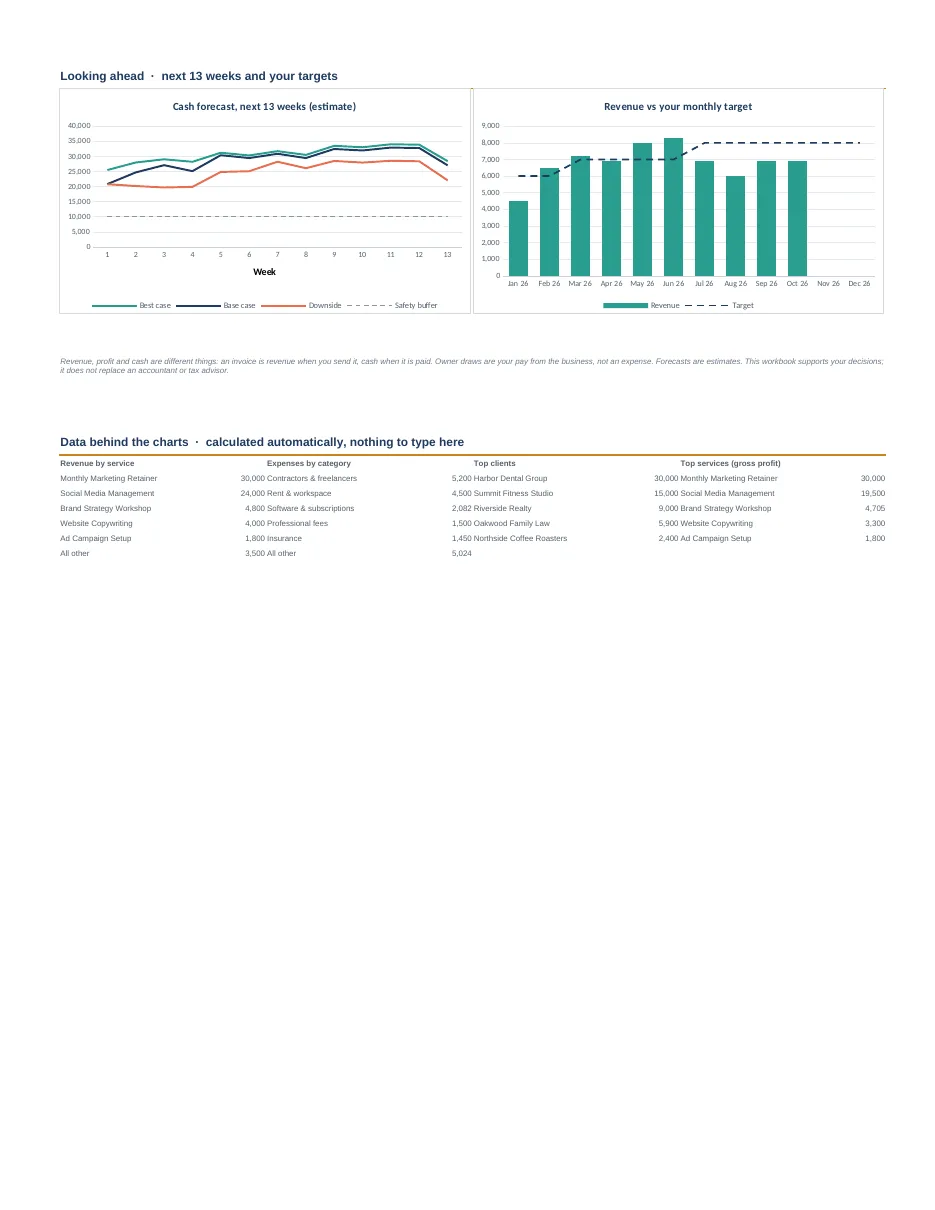
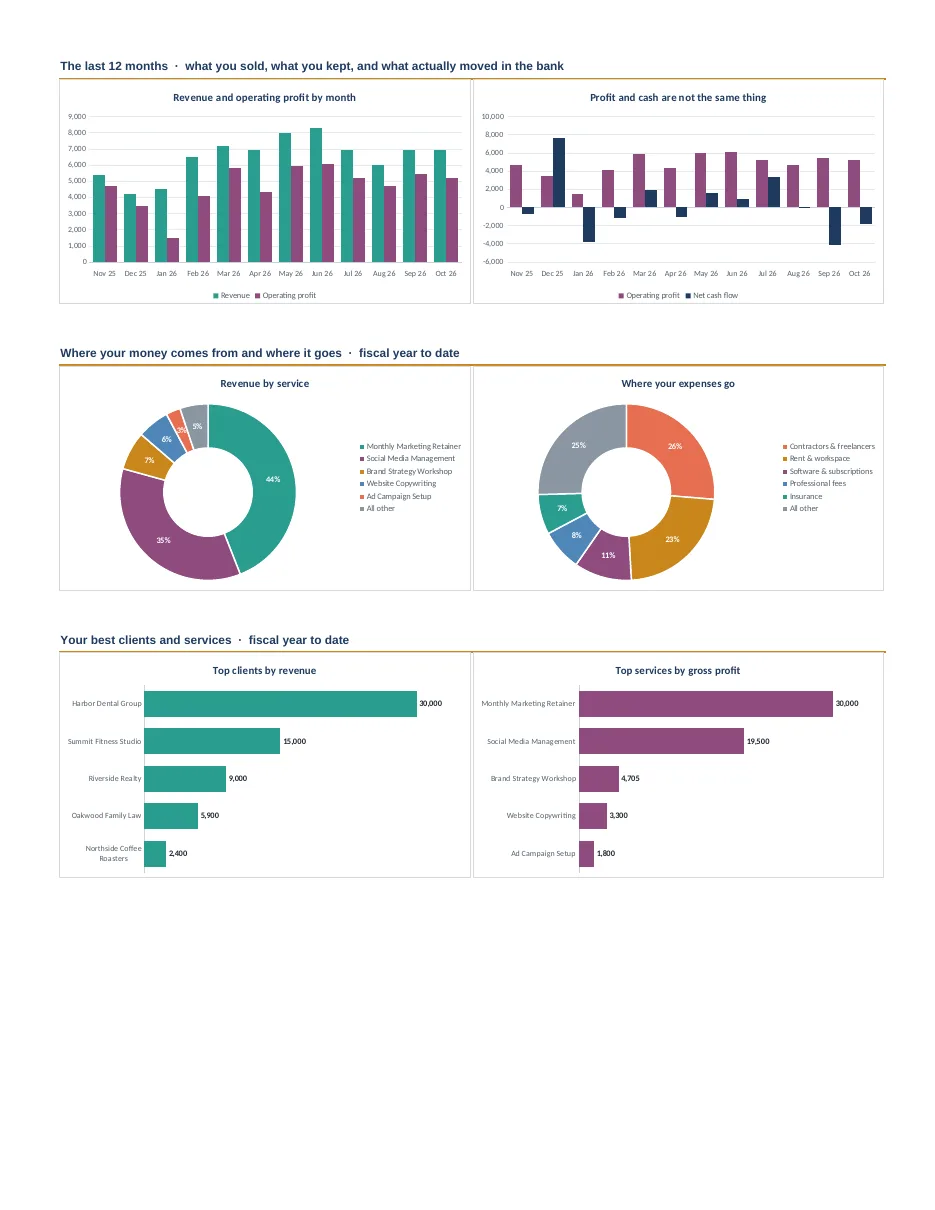
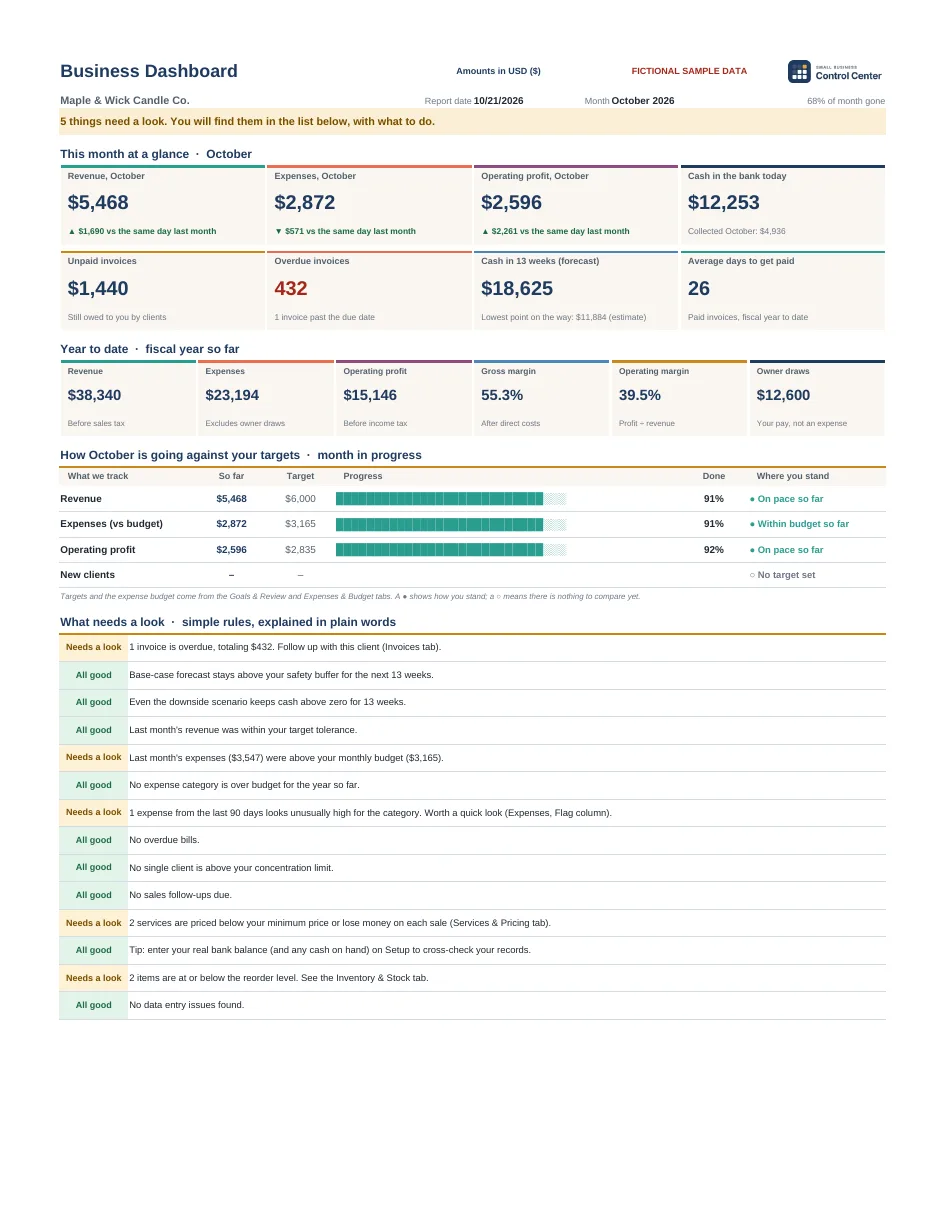
  • One-page dashboard with charts and plain-word alerts on what needs a look
  • Sales, invoices and payments, expenses, clients and inventory
  • 13-week cash forecast with 3 scenarios
  • Pricing calculator: minimum price and margin
  • 3 sample businesses filled in so you can see it working
  • 7 PDF guides and a 12-minute video tutorial
  • 25 currencies to choose from, with US dollars as the default
Buy now →

🔒 Secure checkout on Gumroad · Instant download

⭐ Our top pick

Small Business Control Center AI Edition

So AI can tell you what to do with your numbers

$29one-time payment
yours to keep
  • Everything in the Essentials Edition
  • AI Export tab: your month, ready to paste into ChatGPT, Claude, Gemini or Copilot
  • 10 ready-made prompts that analyze your numbers: cash, getting paid, spending, pricing, sales and inventory
  • Client names hidden: you see what you share before you copy it
  • 4 AI guides + a 30-prompt library + a monthly AI review routine
  • 2 videos: the 12-minute walkthrough and a short AI video
Buy now →

🔒 Secure checkout on Gumroad · Instant download

🎁 Included in both editions3 filled-in sample businesses · 7 PDF guides · video tutorial · bonus guide to review your workbook with AI.

It’s for you if…

  • You run a small service or product business
  • You want to know how it’s going without depending on anyone
  • You’d rather pay once than every month
  • You use, or want to use, AI with your numbers

It’s not for you if…

  • You need software to issue legal invoices or file taxes
  • You need it to sync automatically with your bank
  • You have a large team that needs an ERP

Small Business Control Center is a management and internal control tool. It does not replace your invoicing or accounting software, your accountant or tax advisor, or any certified invoicing software the law may require.

Frequently asked questions

Does it replace my invoicing software or my accountant?

No. It’s a management and internal control tool: it tells you how your business is doing so you can make better decisions. You still issue legal invoices and file taxes with your invoicing software and your accountant or tax advisor.

Do I need to know accounting or Excel?

No. If you can type in a cell, you can use it: you fill in the yellow cells and the formulas do the rest. The guides and the video take you step by step.

Will it work for my business and my country?

It’s built for small service and product businesses that want to track sales, invoices, expenses and cash. Revenue is shown before sales tax and taxes use generic labels, so ask your accountant how they apply where you are.

What do I need to use it?

Excel 2019 or later, Microsoft 365, or Google Sheets (free with a Google account). It doesn’t work with Excel 2016 or earlier, or with Apple Numbers.

Which edition should I choose?

Small Business Control Center Essentials if you want to get your numbers organized. Small Business Control Center AI Edition if you also use ChatGPT, Claude, Gemini or Copilot and want them to analyze your numbers every month: for $10 more you get the AI Export tab, 10 ready-made prompts, 4 AI guides with a 30-prompt library, and the AI video.

When do I get it?

Right away. Gumroad emails you the files and keeps them in your library.

Your business, under control starting this week.

One-time payment from $19, in plain English.

I want Small Business Control Center →

Still thinking it over? See the full Essentials page.

Comprar · desde 19 €